AI AutomationWorkflow AutomationProcess AutomationImplementation
Intelligent Document Processing Without the Enterprise Suite
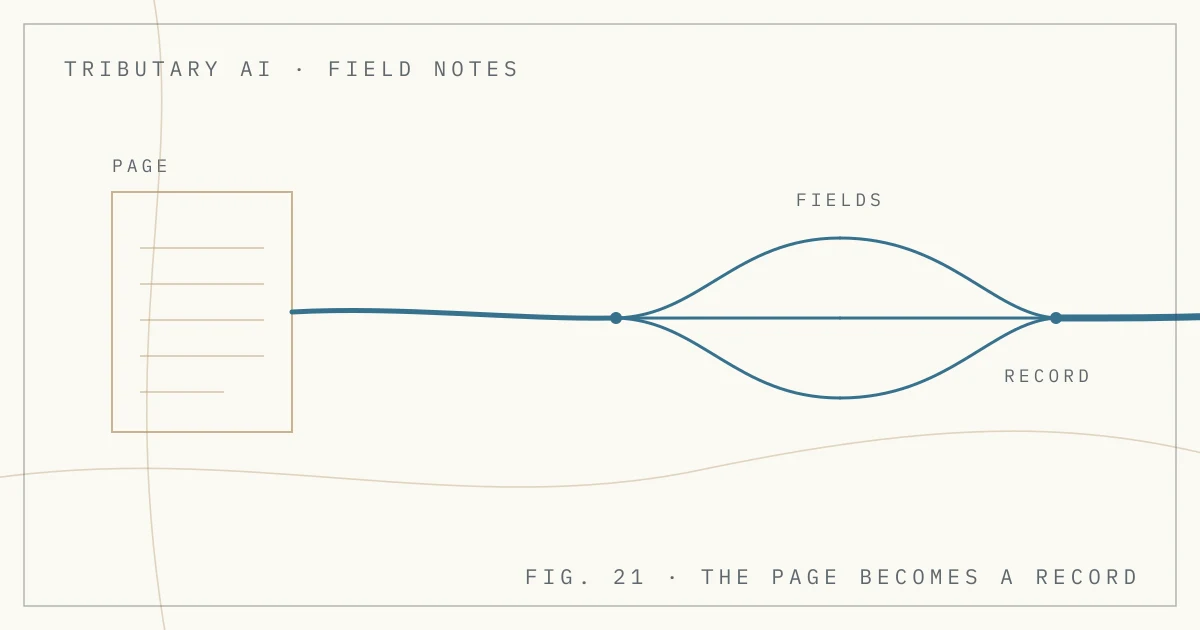
Intelligent document processing is what happens when a document arrives and software reads it into a structured record instead of a person doing it. An invoice lands as a PDF attachment, an application form is scanned at the front desk. The automation pulls out the fields that matter (vendor, invoice number, line items, total, dates, policy number), writes them into a record with a pointer to the page they came from, and hands it on. The next step runs on the fields rather than the page.
Where OCR Stops
Optical character recognition turns pixels into text. Given a scanned invoice it returns the words, roughly in the order they appear, with no opinion about which number is the total and which is the purchase order.
That is a solved problem. The hard part is next: deciding that the number in the lower right is total_amount, that the string at the top is vendor_name even though this vendor prints it inside a logo, and that the four rows in the middle are line items and not a shipping note. OCR gives you characters. What a downstream system can act on is names. Current vision models collapse the two steps into one, returning the fields directly with no separate OCR pass to tune, which is why the category became practical for mid-market companies rather than an enterprise project.
The Suite and the Automation
One way to get this is to buy an IDP platform: template designer, training interface, review queue, per-page price. For one document type at high volume, that can be the right call.
The other is to build the automation around your own document types, with a model chosen for the job. There is no template designer, because there is no template: the model reads the page and returns the fields you asked for. What you build instead is the part a platform cannot know about: where the record goes, which system it has to agree with, who sees the exceptions. The difference is what you end up owning, another system to administer or a piece of your own process with a model in the middle of it.
Reading the Page Is Not Done
Documents are the shape of incoming work still being re-keyed by hand, and extraction sits at the front edge of intake, the first of the four kinds of work we automate. It has to pass the same test as any other candidate. AI automation means work that runs from trigger to done: the trigger is the document landing in a mailbox, a watched folder, or an upload, and done is a state you can check. "The PDF was read" is not done. "The invoice is in the ledger and agrees with the purchase order" is done.
What the Structured Record Has to Carry
A record of only the fields is thinner than it looks. Four things belong in it:
- The extracted fields, named and typed in the vocabulary of the consuming system, not the vocabulary printed on the page.
- A pointer to the source document, down to the page. The first question anyone asks about a wrong number is where it came from.
- The model and version that read it. When this quarter's quality stops matching last quarter's, the first thing worth knowing is whether the reader is the same reader.
- A confidence, per field. A page where the vendor name is certain and the total is a guess is a different case from one where every field is mediocre, and a document-level score hides that.
Where the next step is consequential (paying the invoice, filing the claim), the record is also the evidence of what was done and why. That is the problem AGLedger, whose deployment Tributary supports, works on: the Record states the work, the Completion states what was done, and a Gate holds the step until a person renders a Verdict.
When the Model Is Not Sure
Every extraction returns something. The question is what happens when it is weak.
Set a threshold per field. Below it the record is flagged and routed to a person, with the source page displayed beside the extracted values so review takes seconds instead of minutes. The reviewer corrects the field, the record continues, and the correction is captured as a decision rather than an untraceable edit. This is the same human-in-the-loop gate that belongs on any consequential step, triggered here by a number the model already hands you.
An automation with no low-confidence path still guesses. It just does not say which fields.
Which Model Reads the Page
Extraction is a bounded judgment: read this page, return these fields. That shape makes model choice a fit decision rather than a contest for the best available model. A commercial vision model is the fastest way to a working first version, and for documents under no residency constraint it often stays the right answer. It also means the page leaves the building, which is a policy question before a technical one.
When the documents cannot leave (patient records, employment files, matters under an NDA), an open-source model on hardware you control does this class of work now; what running one takes is its own post. A 120-billion-parameter open-weight model on a single workstation holds the classification steps of a production gate, keeping roughly 95% of cycles on the box with zero malformed tool calls across 110 trials.
Either way, the model behind the extraction step has to be swappable. The field schema, thresholds, review queue, and validation step are yours, and which model reads the page should be a configuration change rather than a rebuild.
Where Intelligent Document Processing Goes Wrong
Layouts drift. A vendor redesigns its invoice, an agency reissues a form, and quality falls quietly. Track per-field confidence by document source and a drifting layout announces itself before accounting does.
Scan quality is the floor. A model cannot read what the scanner did not capture. Faxed pages, angled phone photographs, and third-generation photocopies cap everything downstream, and the cheapest fix usually sits upstream of the model, in the capture step.
Multi-document PDFs. A 40-page scan holding six separate documents is not one document, and treating it as one produces a record that is confidently wrong. Splitting is its own step with its own accuracy to measure.
The same label means different things on different forms. "Due date" is the payment date on one vendor's invoice and the delivery date on another's. No model settles that, because the answer lives in your business rules rather than on the page.
Nothing validates the output. This is the expensive one. Extraction never checked against another system is a guess wearing a schema. Cross-check the total against the purchase order and the party against the customer table, and treat a mismatch as an exception. A confidence score is the model's account of its own reading, not a check; the check has to come from a system that did not read the page. In our own testing of structured records, the check against a second record is what caught a quantity of 50 filed against an order for 10 and a price of $60,000 against an order for $12,000, and the first attempt to file a receipt failed schema validation because it carried a flat total where the record required an amount with a currency. Both are dull checks. Neither is one a confidence score performs.
A Short Diagnostic
Which document type, by name, and how many arrive per week? Extraction is built per type, and volume decides whether it is worth building. What does the record have to agree with when it lands? Without that system there is no definition of correct. Can the documents leave the building? That answer picks the model tier.
If you want a second opinion on a document type, tell us what arrives and what it has to become.
Working on something like this?
Tell us about the work you want carried. A short email is enough to start.
Talk to usRelated posts
All posts
AI Consulting17 min read
AI Consulting Services: A Buyer's Guide for Mid-Market Companies
A buyer's guide to AI consulting services in 2026: what each service produces, what a finished engagement hands over, and how to judge a firm.
AI Agents24 min read
AI Agents for Business: Where They Pay Off and What They Need First
An AI agent reads incoming work, picks from a fixed set of tools, and carries the task toward done within limits. Where agents pay off and how to pick one.